
Magic Princess2.0 - App Store
You'll be able to see results in few seconds.
Publisher Description
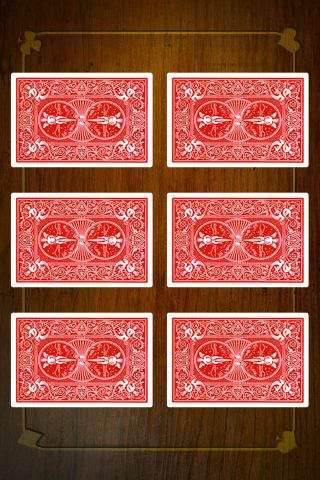
Princess Card:
Original concept and visual design: Benjamin Vianney
Development and programming: HSKA
Finally available! The famous Princess Card trick in a professional-quality application for your
iPhone/iPod.
Effect:
Place your iPhone/iPod on a table.
The spectators can see 6 different playing cards on the screen.
Ask one of the spectators just to think about one of the cards.
Ask them to turn the cards face down using their finger and shake the iPhone/iPod to shuffle.
Once the cards are shuffled, reposition the cards and ask the spectator to touch a card they wish to eliminate. The chosen card disappears...
Turn the remaining 5 cards face up, one by one.
Surprise! The card the spectator thought of at the beginning is the missing card!
Key features:
Very easy to do.
100 % automatic.
Success guaranteed.
The animated cards react to the movements and orientation of your iPhone/iPod.
High audience impact.
Requires iOS 3.0 or later. Compatible with iPhone, iPad, and iPod touch.
About Magic Princess
The company that develops Magic Princess is Hannouf & Serghini Consultants. The latest version released by its developer is 2.0.
To install Magic Princess on your iOS device, just click the green Continue To App button above to start the installation process. The app is listed on our website since 2010-07-10 and was downloaded 0 times. We have already checked if the download link is safe, however for your own protection we recommend that you scan the downloaded app with your antivirus. Your antivirus may detect the Magic Princess as malware if the download link is broken.
How to install Magic Princess on your iOS device:
- Click on the Continue To App button on our website. This will redirect you to the App Store.
- Once the Magic Princess is shown in the iTunes listing of your iOS device, you can start its download and installation. Tap on the GET button to the right of the app to start downloading it.
- If you are not logged-in the iOS appstore app, you'll be prompted for your your Apple ID and/or password.
- After Magic Princess is downloaded, you'll see an INSTALL button to the right. Tap on it to start the actual installation of the iOS app.
- Once installation is finished you can tap on the OPEN button to start it. Its icon will also be added to your device home screen.
Program Details
System requirements
Download information
Pricing
Version History
version 2.0
posted on 2010-07-10
Disclaimer
Official App Store Link
We do not host Magic Princess on our servers. We did not scan it for viruses, adware, spyware or other type of malware. This app is hosted by Apple and passed their terms and conditions to be listed there. We recommend caution when installing it.
The App Store link for Magic Princess is provided to you by apps112.com without any warranties, representations or guarantees of any kind, so access it at your own risk.
If you have questions regarding this particular app contact the publisher directly. For questions about the functionalities of apps112.com contact us.
